

Now here’s something you might have bumped into – LinkedIn Sales Navigator. A coworker brought it up once, or perhaps you spotted it while digging into how real people land clients without dialing unknown numbers all day. It caught your attention, sure, yet the whole thing feels fuzzy. What exactly happens inside that tool? Why does it ask such a high price? Then again, could it matter at all if you are new to reaching out to prospects or growing a network for business?
Picture us talking over coffee, real talk only. Here’s the deal with LinkedIn Sales Navigator – what it actually does, how it runs, pricing on each tier, plus where it just doesn’t hold up. You’ll walk away clear on if it lines up with your goals or if tossing cash here would be a miss.
What Is LinkedIn Sales Navigator, Really?
Picture this: LinkedIn’s basic setup helps you hunt down folks and shoot them a follow note. This is what everyone gets by default. Works okay when building contacts piece by piece or checking out someone ahead of a chat. Now suppose you’re selling something and must track down exactly fifty marketing leads – tech firms, medium size, based in Germany – who switched roles recently. The everyday platform falls short there.
Right away, it helps sales teams spot ideal contacts faster than scrolling through profiles by hand. This tool gives users smarter ways to connect instead of guessing who might respond. Built only for those chasing leads on LinkedIn, it cuts the noise during outreach. Information guides each message rather than luck. The system sharpens searches using filters that match real business needs. Not everyone uses it, just pros focused on closing conversations.
Picture this. A normal LinkedIn search feels like walking into a vast library, scanning shelves for one name in an endless directory. Sales Navigator? That’s more like a helper already standing between the stacks, knowing where each volume lives. This tool pulls precise records fast – say, under two minutes – and quietly notes if a person shifts roles. It taps into the same sea of profiles, over a billion strong. Yet it hands you filters so sharp they turn guesswork into routine.
Apart from being built into LinkedIn, it works much like its own app. Your personal dashboard shows up right away, complete with custom lists of potential leads. Notifications pop up whenever someone does something notable. Messaging folks outside your network becomes possible too.
Who Actually Uses LinkedIn Sales Navigator?
Hold on. Think about this first. Not every person needs Sales Navigator. Students hunting for internship spots on LinkedIn can skip it. Freelancers aiming to land just a couple of clients each month? Probably too much tool for their work.
The people who genuinely benefit from it tend to be:
- B2B salespeople who sell products or services to other businesses
- Business development managers handling outbound prospecting
- Recruiters who need to find candidates outside their existing network
- Founders of startups who are building their first sales pipeline
- Sales teams at companies that sell high-ticket items where one deal can pay for months of subscription costs
A person I know has an elder sibling who leads a tiny tech advice business. Each week, that guy used to scroll endlessly on LinkedIn, opening profile after profile, hunting for the correct contact inside target firms. Last year, everything changed when he found Sales Navigator. Finding those precise job roles became easier when filtering by company scale, city by city. This is how the system actually works. Reaching out? Still on him. Selling? Not something it handles. Yet research took only about fifty percent of what it did before.

LinkedIn Sales Navigator Review: The Core Features Explained
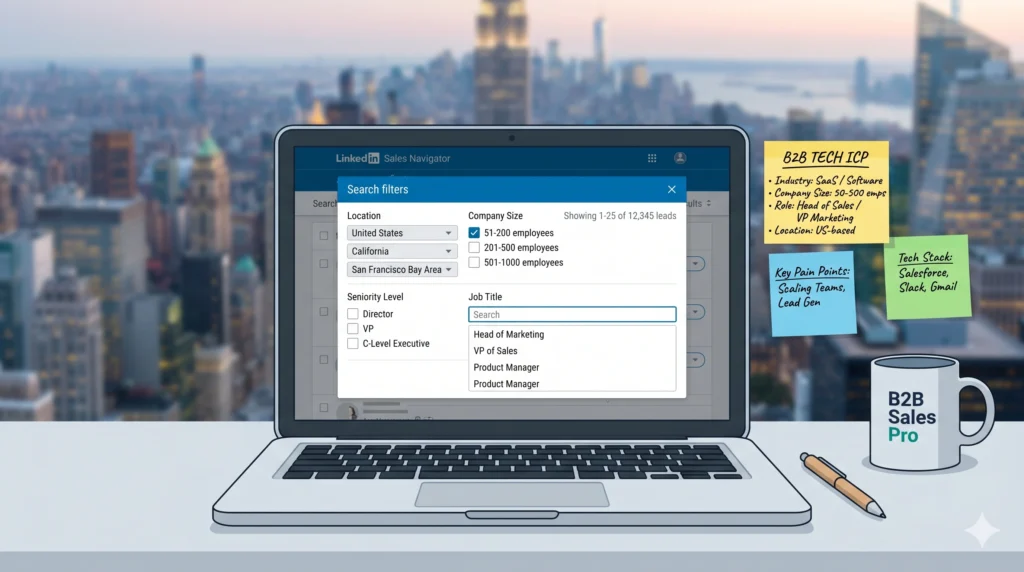
Advanced Search Filters
Here’s what grabs attention. With more than fifty ways to sift through data, Sales Navigator helps spot prospects fast – try sorting by job role or how long someone’s held their position. Think about narrowing results using company size, or pick targets based on media mentions last month. Location matters too, just like industry type or rank within an organization. What stands out? The depth of detail available at each step.
Imagine starting with just a handful of ways to search on regular LinkedIn – around five. With Sales Navigator, the options suddenly multiply into something far more precise.
Most filters feel pointless, yet this one stands out. Those shifting roles recently tend to reassess tools they rely on. A fresh start pushes people toward trying something different. Longtime occupants of positions rarely budge unless forced. Opening dialogue with newer hires simply works better. Not magic – just timing aligned with motivation.
Searching lets you combine terms using logical rules like AND, OR, NOT – so try typing “VP of Marketing BUT only in SaaS EXCEPT agencies” to target exact profiles cleanly. At first it feels tricky, yet after a few tries the method unlocks precise outcomes. The tool grows stronger the more you shape queries with clear conditions.
Lead Lists and Account Tracking
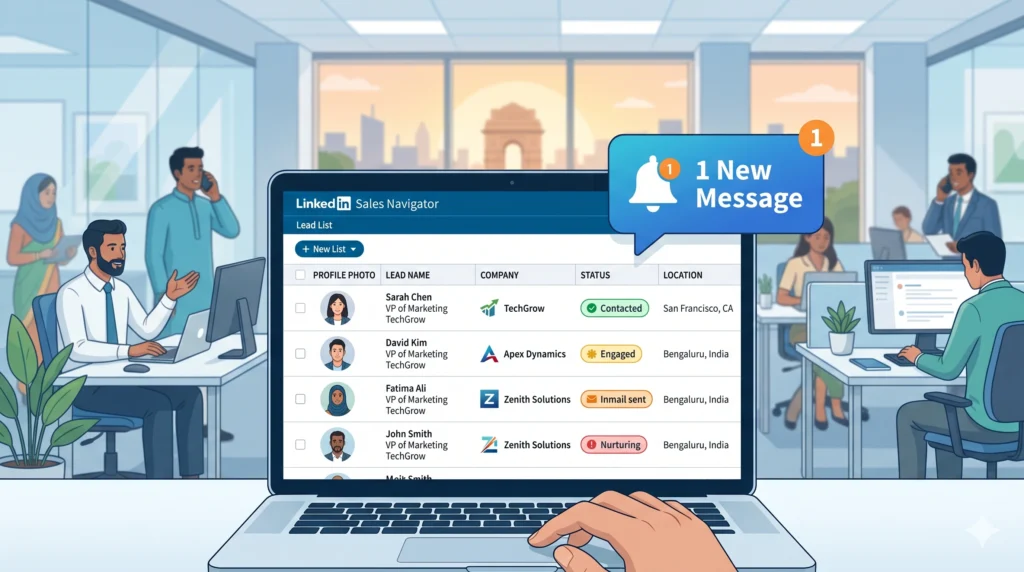
Hitting on contacts worth connecting with? Tuck them into a lead list. Sales Navigator holds as many as ten thousand – plenty of room to grow. Inside the tool, everything stays neat and sorted. Drop a note beside someone’s name, tag their role, even scribble down context later.
Alerts turn this beyond a mere address book. Should a person speak up on LinkedIn, pop into headlines, shift roles, or see their firm leap ahead – you hear about it straight away. Manual sheets simply cannot keep pace with such live signals.
One day, three months after saving a contact, you see they’ve switched jobs. A notification pops up – same person, different company, fresh title. This shift? It opens space. Someone stepping into a new role tends to rethink what tools stay or go. You send a note, pointing out the change. Add a quick word of congratulations. Suddenly it feels familiar, like resuming something paused. Beats starting from silence with someone who doesn’t know your name.
InMail Credits
InMail is LinkedIn’s messaging system for reaching people you’re not connected with. On free LinkedIn, you can’t message strangers directly. With Sales Navigator, you get 50 InMail credits per month.
Fifty sounds like a lot until you realize you might want to reach out to a lot more people than that. The thing is, if someone replies to your InMail, even to say no, you get that credit back. So the actual usable amount depends on how many people respond to you.
InMail isn’t magic. A bad message is still a bad message regardless of the platform. But having the ability to contact decision-makers who you have no mutual connection with is genuinely valuable in B2B sales. The alternative is waiting months to build a connection chain.
Account IQ and AI-Powered Insights
This is a newer feature and it’s been improved quite a bit going into 2026. Account IQ gives you AI-generated summaries of company accounts. You can look at a company page inside Sales Navigator and see a summary of their business priorities, recent activity, key decision-makers, and potential conversation angles.
Is it perfect? No. Sometimes the summaries feel a bit generic and you’d want to verify things with your own research. But as a starting point before reaching out to someone at a company you don’t know well, it saves real time compared to digging through their website, press releases, and LinkedIn page separately.
Account IQ is available on Core and Advanced plans but oddly not on Advanced Plus, which is a strange gap worth knowing about.
The Spotlights Feature
Something recent catches the eye – maybe a post popped up on LinkedIn. A shared contact appears out of nowhere. Less than twelve months in their job could be what stands out. Following your business online? That quiet move speaks louder than expected.
This sounds small but it actually matters a lot in practice. The hardest part of outbound prospecting isn’t finding names. It’s figuring out why to reach out and making the reason feel relevant. Spotlights gives you a hook.
LinkedIn Sales Navigator Review: Pricing Breakdown for 2026
Let’s talk money, because this is where a lot of people get confused or surprised.
Core Plan
The Core plan starts at $99.99 per month when billed monthly, or roughly $79.99 per month if you pay for the year upfront. That works out to about $959 per year on the annual plan.
This is the entry-level option. You get advanced search, InMail credits, lead lists, lead alerts, and Account IQ. What you don’t get is buyer intent signals, Smart Links, TeamLink, or any collaboration tools. Core is for individual users who are doing their own prospecting independently.
If you’re just starting out in B2B sales or you’re a solo consultant building your pipeline, this is the plan to look at. Spending more for team features you don’t need doesn’t make sense at this stage.
Advanced Plan
Advanced runs at $159.99 per month billed monthly, or about $125 per month on an annual plan. The extra cost gets you buyer intent signals, Smart Links, TeamLink, and reporting tools designed for sales managers overseeing a team.
Most folks ignore signs that show who’s looking into products like yours. Spotting these hints means some businesses already have curiosity on their mind. When interest exists before you reach out, things tilt in your favor. Starting mid-conversation beats beginning at square one every time.
A single link carries your file – presentation, example, or plan – and tells you when someone checks it out. When that person clicks, their moves show up: time on screen, pages viewed, even pauses. This info guides what comes next. No more wondering if they glanced or studied; now it just shows. Knowing replaces doubt every time.
Advanced Plus Plan
This one doesn’t have a public price. You have to contact LinkedIn directly and get a custom quote. Based on what various sources report, it tends to run somewhere between $1,300 and $1,600 per user per year, which is a significant jump.
Advanced Plus is really only relevant if your company uses Salesforce or Microsoft Dynamics and you need LinkedIn data flowing directly into your CRM automatically. The native sync is genuinely useful for large teams where data hygiene in the CRM matters a lot. For smaller operations, it’s probably overkill.
What LinkedIn Sales Navigator Does Well
Truth be told, what makes this worth every dollar? The search feature. Other tools just don’t match how deep these filters go – all while pulling real-time details straight from LinkedIn profiles. Since it pulls right from the source, changes show up fast. Update your job role or move to a new company? It reflects here first. Outside databases often sit on stale info, sometimes outdated for weeks, even months.
Out there, messages usually land without warning – like shouting into a crowd. Not here. Alerts shift everything by catching folks right as interest sparks. Picture someone looking up solutions just now – you show up then, not days later. Timing bends outcomes more than we admit. A nudge at the edge of attention? That’s where replies begin.
The platform itself is fairly intuitive if you already know LinkedIn. The learning curve isn’t brutal. Most people get comfortable with the basic search and list features within a couple of weeks.
Where LinkedIn Sales Navigator Falls Short
It’s not cheap. For a solo user or a student just starting out, $99.99 per month is a real commitment. One closed deal at the right price makes it trivially worth it, but you have to actually be in a position where you’re closing deals. If you’re still learning the fundamentals of sales, spending that money on the tool before you have a process to use it is a waste.
You can’t export leads. This frustrates a lot of people. Your lead lists live inside Sales Navigator. LinkedIn won’t let you download a spreadsheet of them and take it elsewhere. If you want verified email addresses for the people you’ve found, you need a separate tool to get those.
InMail credits run out faster than expected if you’re doing any real volume of outreach. Fifty credits a month is actually not much for a full-time sales role. Some people use automation tools alongside Sales Navigator to increase reach, though LinkedIn’s terms of service restrict certain kinds of automation, so that’s a gray area.
The buyer intent signals, while genuinely useful, have been criticized by some users for not being granular enough. Knowing a company is “researching your category” is helpful but fairly broad. It doesn’t tell you which specific person is doing the research or exactly what problem they’re trying to solve.
Customer support on the Core plan is limited. For a subscription at nearly $100 per month, not having live chat feels stingy.
LinkedIn Premium vs. LinkedIn Sales Navigator: What’s the Difference?
Many students and early-career professionals ask me this. They’re two different products with different purposes.
LinkedIn Premium is for personal use. It’s designed for job seekers, professionals who want to see who’s viewed their profile, and people who want access to LinkedIn Learning courses. Premium Business costs around $59 per month.
LinkedIn Sales Navigator is a sales prospecting tool. It’s for finding and reaching potential customers. The search filters alone are far more powerful than anything in Premium.
If you’re job hunting, Premium is probably what you need. If you’re doing B2B sales prospecting, Sales Navigator is the right tool. You don’t need both. Sales Navigator already includes the profile-viewing features that Premium offers.
How to Get Started Without Wasting Money
LinkedIn offers a free trial for Sales Navigator Core and sometimes for Advanced as well. The catch is that you need to not be on any paid LinkedIn subscription right now, and you can’t have used a free trial in the past year. If you qualify, take the trial seriously. Set it up properly, build your first lead list, send some InMails, and track what happens.
Before you commit to a paid subscription, be honest with yourself about a few things. Do you have a clear ideal customer profile — meaning a specific type of person or company you’re trying to reach? Do you have a product or service where one sale justifies months of subscription costs? Do you have time to actually work the leads you’ll find?
If the answer to all three is yes, Sales Navigator is probably a smart investment. If you’re still figuring out those fundamentals, build them first. The tool works best when you already know exactly who you’re looking for.
A Realistic Picture of Results
Truth is, I’m telling you this upfront since most posts act like Sales Navigator just spits out cash. Doesn’t happen.
Who’d think finding prospects could be so straightforward? This thing pulls up folks likely to care about your offer. Actually helpful, sure. Yet reaching out well – that part takes practice. Even if someone shows up perfectly matched, a clumsy message sinks everything just the same as with any cold result online. Funny how that works. Since it leans on LinkedIn, the details run sharp and current. Still, perfect info won’t seal anything by itself.
Starts by skipping the usual guesswork when tracking down contacts. Instead of wasting hours searching, you land on target profiles fast. That shift frees up room where it counts – actual dialogue. Focus moves from chasing names to exchanging ideas. Finding people becomes quick, leaving space for what works.
A college student I know interned at a B2B startup last summer. They were assigned to do prospecting support using Sales Navigator. In eight weeks, they built targeted lists of around 2,000 leads in their market segment, identified the 150 who’d recently shown job changes or company growth, and drafted personalized InMail templates for each subgroup. Their manager ended up booking 11 meetings from that pipeline, which was notably more than the same period the previous year. Was it all because of Sales Navigator? No. Was the tool a real factor in how efficiently they could build that pipeline? Absolutely.
LinkedIn Sales Navigator Review: Is It Worth It in 2026?
If you’re doing genuine B2B outbound sales and you’re selling something where deals are worth real money, Sales Navigator is probably the best prospecting tool available right now for finding people on LinkedIn’s network. The depth of the search filters, the real-time data, and the alert system are genuinely hard to replicate with other tools.
If you’re early in your career, exploring sales, or not yet in a position where you’re closing deals consistently, the price is hard to justify. Start with the free trial if you can, use those 30 days seriously, and measure whether you can build a pipeline that justifies the ongoing cost.
The tool won’t do the work for you. But if you already know who you’re looking for and you need a way to find them faster, LinkedIn Sales Navigator in 2026 is the most direct route to that outcome.